
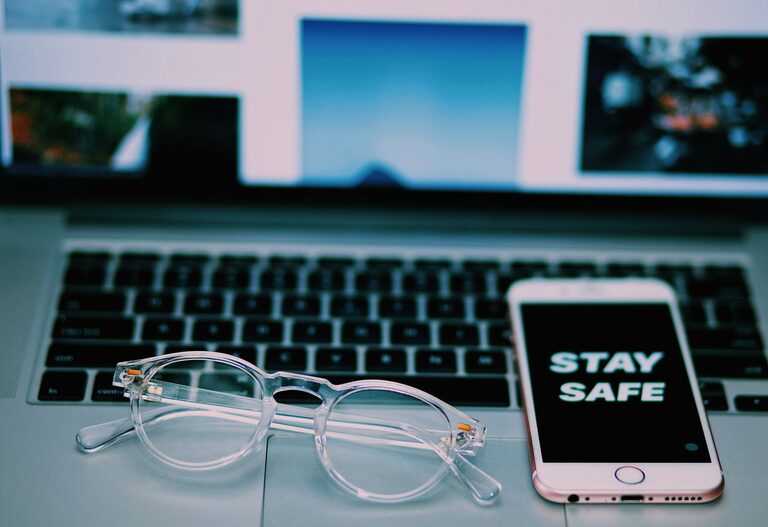
Keeping your phone and keyboard clean is essential for both hygiene and device longevity. Everyday use can lead to accumulation of dirt, dust, oils, and germs on these frequently touched surfaces. However, cleaning electronic devices requires care to avoid causing damage. In this post, we’ll guide you through safe and effective methods to clean your phone and keyboard.
Why Cleaning Your Devices Matters
Phones and keyboards are among the most touched items in our daily lives. This means they can harbor bacteria and viruses, as well as dust and grime that might affect performance. Regular cleaning helps:
– Reduce germs and allergens
– Improve the appearance of your devices
– Maintain proper functionality
– Extend device lifespan
Preparing for Cleaning
Before you begin, gather the right supplies:
– Microfiber cloths (soft and lint-free)
– Isopropyl alcohol (70% or less) or disinfecting wipes safe for electronics
– Cotton swabs or soft-bristled brushes
– Compressed air can (optional)
– Distilled water (optional)
Important: Avoid using bleach, harsh chemicals, or abrasive materials.
Also, always power off your device and unplug it from any power source before cleaning.
—
How to Clean Your Phone Safely
Step 1: Power Down and Unplug
Switch off your phone and disconnect any cables or accessories.
Step 2: Remove the Case and Accessories
Take off the phone case and any attached accessories such as screen protectors or pop sockets. Clean them separately using soap and water if they are made of plastic or silicone.
Step 3: Wipe the Surface
Dampen a microfiber cloth slightly with distilled water or a 70% isopropyl alcohol solution. Avoid soaking the cloth. Gently wipe the phone’s screen, back, and edges to remove fingerprints, oils, and dirt.
Step 4: Clean Ports and Speakers
Use a dry cotton swab or a soft brush to clean around charging ports, headphone jacks, and speaker grills. Avoid inserting objects forcefully or using liquids in these areas.
Step 5: Dry and Reassemble
Allow the phone to air dry for a few minutes. Reattach the case and accessories once everything is dry.
—
How to Clean Your Keyboard Safely
Step 1: Turn Off and Disconnect
If you’re cleaning an external keyboard, unplug it from your computer or power source. For laptop keyboards, shut down the device.
Step 2: Remove Loose Debris
Turn the keyboard upside down and gently shake or tap it to dislodge crumbs and dust. You can also use a compressed air can to blow away debris from under the keys.
Step 3: Wipe the Keys
Lightly moisten a microfiber cloth with isopropyl alcohol (70% or less) or a disinfecting wipe safe for electronics. Wipe the keys and keyboard surface carefully. Avoid excess moisture to prevent liquid seeping under the keys.
Step 4: Detail Cleaning with Cotton Swabs
Dip a cotton swab in alcohol and squeeze out excess liquid. Use it to clean around the edges of keys and in small spaces.
Step 5: Dry Thoroughly
Let the keyboard dry completely before reconnecting or turning it back on.
—
Additional Tips for Device Cleaning
– Clean your devices regularly, at least once a week or more during cold and flu season.
– Wash your hands before using your phone or keyboard to reduce the transfer of oils and germs.
– Avoid eating or drinking near your devices to prevent spills and crumbs.
– Consider using keyboard covers or screen protectors to simplify cleaning.
– If your device has stubborn stains, test cleaning solutions on a small area first.
—
What to Avoid When Cleaning Electronics
– Submerging devices in water or any liquid
– Using abrasive cloths or scrubbers
– Applying excessive moisture or spraying cleaning products directly onto the device
– Using household cleaners containing bleach, ammonia, or vinegar
– Using sharp tools to remove dirt from ports or keys
—
Conclusion
Cleaning your phone and keyboard doesn’t have to be a complicated task. With the right approach and materials, you can safely remove dirt, oils, and germs from your devices to keep them looking their best and working properly. Make cleaning a regular habit, and your tech will thank you with longer-lasting performance and improved hygiene.
By following these simple steps, you ensure your devices remain both clean and protected from damage. Happy cleaning!
About the Author